Beginners Guides: Linux Part 2: Installing a PC
The grass is always greener on the
other side of the fence, so tag along as we
walk you through installing Suse Linux 9.1 on your PC. - Version
1.0.1
In the first
part of PCstats Beginner's Guide to using Linux, we explored the basic features
of this open-source operating system by using the Knoppix 'live' CD Linux
distribution which does not require a permanent installation onto your
computer's hard drive, but instead loads entirely from a single CD.
For the second installment of this guide, we're looking
at something a little more permanent. We're going to take one of the most
popular and easy to use free Linux distributions, SUSE Personal 9.1
and explore the process of installing Linux onto your hard drive as a full
operating system. We'll look at how to configure your desktop using the
KDE desktop manager, get a grasp on your personal files in the Linux file system
and connect to the Internet for web browsing and email. We'll also teach
you how to make Linux co-exist peacefully with your existing Windows
installation, so you can use both.
Please note that this is by no means a comprehensive guide to using Linux
'behind the scenes' and becoming an expert at that operating system. The
information in this article is intended to get you up and working comfortably
using the SUSE 9.1 Personal edition Linux distribution.
 This particular version of Linux was chosen
because its small footprint and easy to use configuration tools make it an
excellent way to reduce the often-daunting learning curve that the Linux OS can
present. We firmly believe that learning to use an operating system productively
is the first and most important step in achieving full familiarity and expertise
with that system.
This particular version of Linux was chosen
because its small footprint and easy to use configuration tools make it an
excellent way to reduce the often-daunting learning curve that the Linux OS can
present. We firmly believe that learning to use an operating system productively
is the first and most important step in achieving full familiarity and expertise
with that system.
To complete the installation and run SUSE Linux 9.1,
you'll need the following:
- Intel, AMD or compatible x86 system with 128MB of memory minimum. We'd
recommend at least a 500MHz processor to get the most out of the operating
system, but this is not a requirement.
- At least 500MB of free, unpartitioned hard drive space to install Linux on. This space can
be on an empty drive, an unpartitioned portion of a drive, or a drive partition
which you can afford to erase.
- A CD-R/RW drive (or access to one) and broadband
Internet access to download the SUSE disk image. Since the image is very
large (700MB) there's not really much point in downloading it if you don't
have a fast Internet connection.
Creating the SUSE Personal 9.1 CD
One of the major reasons we chose SUSE Personal 9.1 for this guide is the
fact that it comes on only one CD, whereas many other major Linux distributions
take two or more.
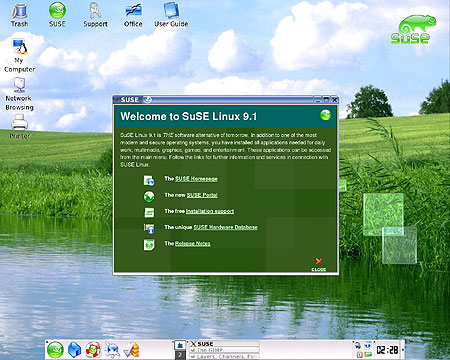
Download the SUSE 9.1 Personal .ISO image file from here, then burn it to CD using your favourite CD creation
program. If you need some help with this process, see our guide to the subject here. No special settings are required to burn this CD, though
you will need to finalize the disk.






 RSS Newsletter
