DirectX 9.0C videocards are compatible with Microsoft Windows Vista, but if you really want to get the most out of this new operating system (and upcoming games), you'll be better served with DirectX 10 compliant GPU. nVIDIA now has a full DX 10 product lineup available and all manufacturers have jumped on board with many different variants to suit different budgets.
The nVIDIA GeForce 8600GTS has proven itself to be the
darling of the videocard industry, but in its shadows is the GeForce 8600GT. The main difference between the two videocard is clock speed. The GeForce 8600GT runs at 540MHz, while the former operates at 675MHz. It's certainly a slower GPU speed, but on the whole the 8600GT videocard does not trail by much in terms of total value.
You can tell new technology is hot when
manufacturers jump on it all at once, and the GeForce 8600GT is just one of
those videocards. There are a plethora of GeForce 8600GT
videocards on the market and PCSTATS is pleased to be testing out Albatron's
take on things. With a retail price of $155 CDN ($147 USD, £73 GBP) the Albatron 8600GT-256 videocard is certainly a steal.
Albatron's 8600GT is a
very inexpensive way to bring DirectX10 graphics into your PC, this PCI Express
x16 videocard is also SLI compatible. From a technical stand point
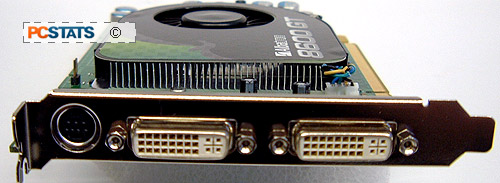
the Geforce 8600GT-256 supports two dual DVI video outputs, a standard
TV and component output video jack and is matched with 256MB of GDDR3 memory.
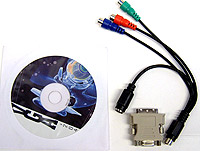
Don't expect much in terms of accessories however, Albatron only include one DVI
to analog converter and the TV output cable.
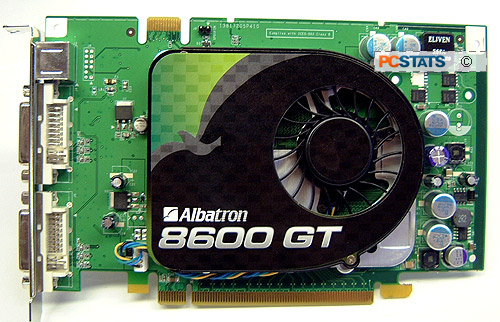
The Albatron 8600GT-256 videocard is identical to the reference nVidia GeForce 8600GT except for the sticker on the heatsink. Physically the Albatron 8600GT-256 is a compact videocard, which is nice after playing around with the behemoth GeForce 8800 series that seemed to stretch forever. The Geforce 8600GT videocard does not require an extra power connector, so that's another nice change from all those power hungry videocards.
Albatron and nVIDIA have done an excellent job with the heatsink used on this Geforce 8600GT videocard. Not only does it keep the little GeForce 8600GT core nice and cool, it's also very quiet under power. The PWM fan scales its speed depending on thermal load, but even at full speed the fan does not generate much noise.
If you feel that the stock heatsink is not good enough for your needs, it can be replaced something else as there are mounting holes around the GPU. I wouldn't really bother with that kind of a change, although Arctic Cooling and Zalman do have some have some very nice after market silent VGA heatsinks.
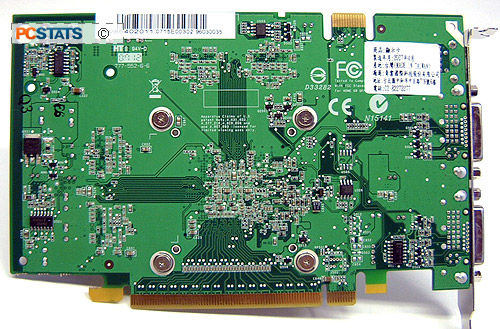
The GDDR3 memory modules make contact with the GPU heatsink although cooling the DRAM modules isn't really vital. There are a couple of other vendors that leave the memory naked without any issues.
All nVIDIA GeForce 6 series and up videocards can run
SLI. On the top left hand corner of the Albatron Geforce 8600GT videocard we can see the SLI bridge. To run SLI you will need to install a second GeForce 8600GT card (doesn't have to be the same brand) and into an SLI compatible motherboard, in the second PCI Express x16 slot on the motherboard. Connect the SLI bridge adaptor (not necessary but if you don't you lose 15+% performance) then enable SLI in the drivers and you're all set!
The technology behind the Geforce 8600GT family is pretty well known, so PCSTATS will give you a brief run down on that front before diving into our overclocking tests and benchmarks next.







 RSS Newsletter
