External hard drive cases have officially gone tool free! First there was the
Thermaltake BlacX
SATA hard drive docking station with its convenient
drop-in slot. Now we have the IcyDock MB664US - a 3.5" SATA hard drive
enclosure that stands upright or lays horizontal, and offers a degree more of
protection to your hard disk. Installing a hard drive into the IcyDock MB664US is as easy
as inserting an 8-track. Oh wait, you don't know that those are.... installing
a hard drive is no more complicated than popping a memory card into your
digital camera!
Simply open up the MB664US's external bay door, slide
a 3.5" SATA hard drive in and close the cover. The hard drive is automatically engaged
with SATA data and power connectors, held firmly in place so it won't fall out,
and protected from dust and kids curious fingers behind the aluminum walls of the unit. That's
about all there is to it. At the back of the
IcyDock MB664US are ports for the dedicated power brick it requires and USB2.0 and eSATA
data connections. There is no futile key, no extraneous screws and fiddling required.
The IcyDock
MB664US does have a Kensington lock receptacle at the back to keep it from walking off,
but this feature is irrelevant given the ease with which the hard drive inside
ejects. Go figure. Of the data transfer standards used by the
external hard drive enclosures, eSATA is the best by far. The Icy Dock MB664US supports external
SATA, and USB2.0 which is 100 times more common, but slightly slower.
 |
|
IcyDock MB664US External HDD Enclosure |
|
|
|
|
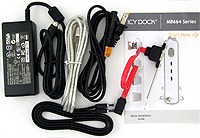
| Includes: |
|
Installation Guide, Screws, Keys, eSATA cable, USB2.0
cable, AC power adaptor. |
 | |
| |
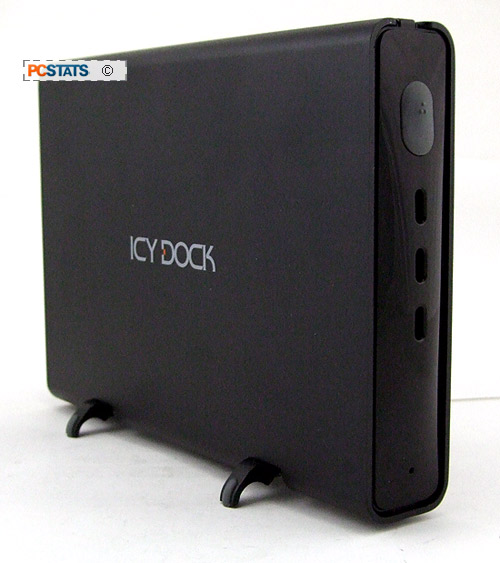
In this review PCSTATS will be looking at the Icy Dock
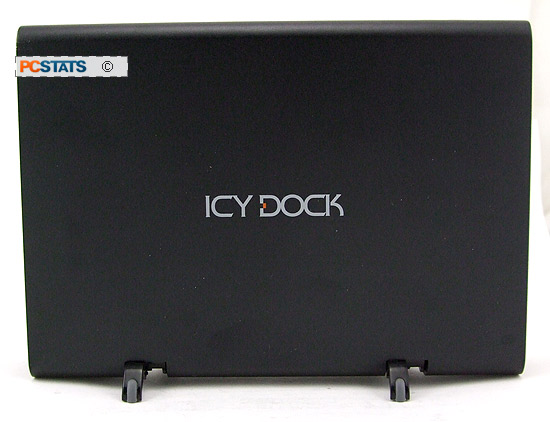
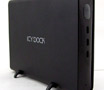
MB664US external SATA/USB hard drive enclosure. The unit is black in colour with
a nice aluminum shell and retractable rubber feet if you choose to stand it
upright. The unit supports serial ATA I and serial ATA II hard drives only.
Since desktop hard drives lack motion sensors to retract the heads, we'd
recommend laying the enclosure flat whenever possible.
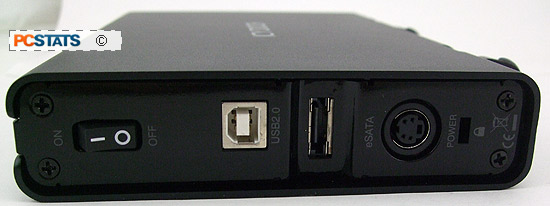
At the rear of the MB664US external chassis is a hard power switch,
USB and eSATA data slots, the power connector and a Kensington lock slot.
The Icy Dock MB664US is powered by an AC brick adaptor, and comes
with one 6 foot shielded USB cable and one 42" long shielded eSATA cable. The
unit must be plugged in to operate, neither eSATA nor USB deliver enough
power to support a hard drive. IcyDock include everything a user will need to set up
the MB664US, including an eSATA PCI bracket for your computer. The installation guide is detailed.
Next up we'll go over getting the Icy Dock
MB664US running, and talk about the differences between eSATA and SATA.






 RSS Newsletter
