|
|
Hard drive racks are the kind of peripheral one usually expects to only see on a server rack, but for a variety of reasons they can be quite handy in a desktop, or workstation.
71% Rating: 
|
|
|
|
Home >
Reviews >
Peripherals >
Unknown |
|
|
Plastic Removable Hard Drive Rack
Hard drive racks are the kind of peripheral one usually
expects to only see on a server rack, but for a variety of reasons they
can be quite handy in a desktop, or workstation. If you find yourself constantly having
to pull one harddrive or another out of your computer, for whatever reason,
then one of these may be the answer to those problems.
|
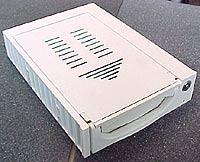
The removable hard drive rack we tested is of
the anonymous but very common variety. Not sure who makes them, but they
seem to be everywhere so it shouldn't be to hard to find if you need
to.
The rack comes with a few screws, no instructions, and a
set of keys. |
 |
|
|
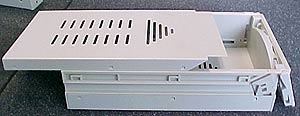
Installing a hard drive into this rack is about as easy as it gets. With the unit's
drive caddy separated from the docking station, we lift of the thin steel cover
off and hook up the standard IDE connector and Molex power connector to a 3.5"
IDE hard drive.
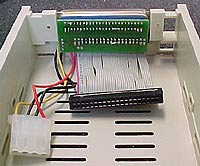 |
This caddy uses standard IDE cable
to connect the drive up. Better versions often employ 80-pin cables which
go standard with most hard drives these days.
|
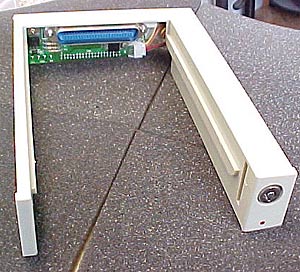
With the hard drive installed in the caddy the next step is to install
the docking station in the computer. It has little brass inserts so the screws have
a solid place to go, and fits in the 5.25" bay of any computer. The whole unit
is only slightly longer than a CDROM. Power and the IDE cable from the
motherboard plug into the back of the unit.
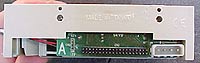
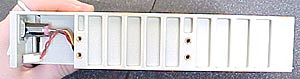
With the removable hard drive rack
installed in the computer you can install the drive caddy. It just slides into
position along two rails and the connector at the back of the caddy makes the
connection for power and IDE to the drive. It is a bit tricky at first because
the drive has to pushed in all the way or the sockets won't fully mate up
together.
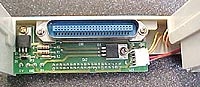 |
 |
|
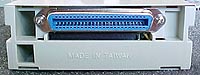
The caddy connects
to the rest of the rack through one connector which supplies the harddrive with
both the IDE connection and power.
The only ventilation that the drive receives is through
some small vents in the top an bottom plates and one 10mm square opening
at the back of the drive. 7200 RPM drives will probably get pretty toasty
in this rack. |
|
|
|
|





 RSS Newsletter
