Beginners Guides: Optical Drives & Recording Formats
The first of two parts; explaining the basic facts about how CDs actually work. Everything from the differing optical media recording standards, read/record speeds to selecting the best recordable DVD format is covered. - Version 1.0.0
In a way, the current computer market mirrors the
conditions of a few years ago when the CD-R drive, like email, became
a driving force behind home computer sales. Except this time the emerging technology
is DVD writing. DVD drives are dropping in price, the media is easily available, and the
idea of them has been absorbed by the public. Or, at least by those
consumers with more than a passing interest in computers, digial music, movies, or whatever.
There is
still something besides price that is holding back
recordable DVDs however; a standards war is still raging, as it was two
years ago, in the writeable DVD market. Any time there is no clear standard,
customers are confused, and confused customers don't waste their money on potentially
obsolete technology.
In this article, PCstats will attempt to clear away some
of the fog from the
issue of writeable DVD media standards, as well as explaining how DVD and CD writing
technology actually works, and much much more. In the second half of
this beginners guide, PCstats will explain how to burn a CD-R, create an ISO
image, and several other fundamentals for burning your data to recordable optical media.
First, before the
chicken crosses the road entirely, how are CDs, CD-Rs and DVDs made? What
gives these wonderful plastic coasters the ability to store such tremendous amounts
of data?
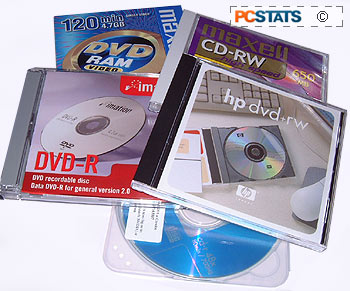 Compact disks are primarily
composed of Polycarbonate, a transparent hard plastic, onto which additional
incredibly thin layers of metal and plastic are added to reflect laser light and
protect the data surface of the CD. This much is true of all Compact disks.
Compact disks are primarily
composed of Polycarbonate, a transparent hard plastic, onto which additional
incredibly thin layers of metal and plastic are added to reflect laser light and
protect the data surface of the CD. This much is true of all Compact disks.
There is a large difference between mass produced 'stamped'
CDs and CD-ROMs (Compact Disk - Read Only Memory) such as you would buy
in a music or software store, and the CDs intended for use in a CD burner however.
Stamped CDs are produced by injection-molding the polycarbonate plastic into a die which
contains tiny pattern of raised bumps along the surface. These bumps, and the flat areas
between them ('lands') are the means by which the data is read from the finished
CD by a laser.
This surface is then coated by a thin layer of metal (usually
silver or aluminum) to provide a reflective surface on the 'top' of the disk
(the label side) so that light can be reflected back through the reading side of
the CD. A thin layer of plastic tops this metal layer, followed by the label,
silk-screened onto the top.
This is your common
everyday audio CD, and it also explains why all recordable disk manufacturers stress
that ball point pens should never be used to write on a CD. Press to0 hard,
and you could literally pen away the data on the disk.






 RSS Newsletter
