There comes a time for every user when upgrading just the components of their
computer is no longer good enough. As we accumulate more hard drives, and more
CD burners we begin to run out of places to put everything. On the flip side,
the mid-towers which used to be good enough for any slot one PIII or Athlon are
now cramped, both because many of them placed the powersupply overtop of the
processor, and because it was rare they came with more than three 5.25" bays.
With the six month's expiry of my Windows 98SE system (Win98 just seems to
die after six months for some reason), it was time for a reinstall, and an
upgrade of components. Rather than drop my nice new motherboard and
processor into the dusty no-name case I have been using for the last three
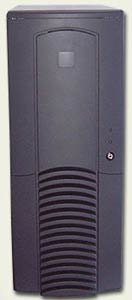
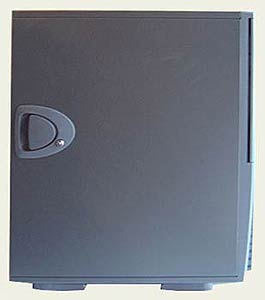
years, I went out and picked up a black Antec SX1030B full tower case for about
$180CDN. That is a lot of money to spend on a case from anyone's
perspective, but it is a lot less than the flashy Lian Li cases which retail
from around $300CDN. Looking at the shelves of cases at the store I had a choice
between no-name beige cases which would get the job done, toy-like mid towers
with lots of fake chrome, and flashy aluminum cases that are like some kind of
geek status symbol.
The Antec cases (black or beige) were on the pricier side, but I'd read a
half dozen good reviews of them, and seen some pretty cool mods that people had
done, so I chose that case.
Before buying the SX1030B I checked to make sure it had two useable floppy
bays (I have a FDD and Zip) and a removeable IO plate. I recently bought a
Soyo Dragon P4S and it uses a non-standard port configuration so this was
actually quite important. With only three 7200RPM drives and a m478 P4 destined
to go in the case I really wasn't too concerned with how many case fans it had,
but it was a nice extra regardless.
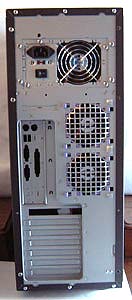
The Antec SX1030B has two case exhausts located directly behind the processor
area, and two intakes situated in the front of the case, one at the very bottom,
and the other just in front of the bottom hard drive caddy (for cooling hard
drives). Antec ship the case with two exhaust fans, and leave it up to you if
you want to buy and install two 80mm fans in the front.
Installation of Hardware
Removeable motherboard trays can be good things if they are really simply
designed. We've seen our share of incredibly complicated and difficult to use
removeable motherboard trays, and an equal amount of simple methods. Are they
really that great? Well it depends on how many cases you are working with
frankly. For users who are just installing their own computer I think you can
work quite easily with a case that has a fixed motherboard tray - as long as it
is not to tight inside.
The Antec has a fixed tray and as the powersupply is mounted above the
motherboard area it was pretty easy to install the mainboard. However the edge
of the case above the expansion card slots is not recessed so the screw driver
did have to go in at a bit of an angle to install the video card and such. That
area could stand to be improved if Antec ever release future revisions of the
case.
 |
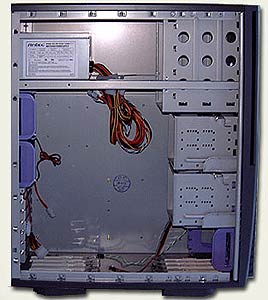 |
Installing hard drives is another matter entirely. I found their removeable
hard drive caddies or racks so straight forward and easy to drop in or pull out
that I'm amazed more case manufacturers aren't using similar systems. The catch
level is big and easy to engage or disengage, and the frames the caddies slide
into are designed in such a way that with the video card installed you can still
remove it easily - and without knocking into the AGP card. Only one of the 3.5"
racks of which there are two, each holding three devices, comes equipped with a
removeable bracket for installing a 80mm cooling fan. This fan also serves as
one of the intake fans for the case should you desire a little extra case
pressurization.
I removed the bracket however because it made the hard drives stick out a
little too far and I didn't want them so tight up against the video card I was
using.
Curiously, the 300Watt P4 compatible power supply which Antec include with
this case has a difficult time reaching the bottom-most IDE devices in the lower
HDD caddy. You would have thought Antec would have measured the distances and
extended the molex power cables by another inch or so, rather then leaving them
so tight.
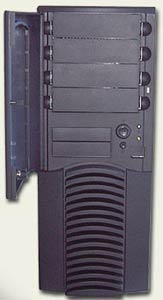
Four 5.25" Bays with quick release slides
I have never been too much of a fan of the sliding 5.25" bay mounts for the
very fact that you still have to screw the mounts into the side of the device
using the correct mounting holes. For some reason I always tend to pick the
wrong holes and the CD-ROM or whatever either sticks out too far, or is
recessed. There is however no option with the Antec SX1030B to use any other
mounting method. The 5.25" are set up exclusively for use with the plastic bay
slides which are conveniently stored in a special bracket on the floor of the
case so they don't get lost.
Drives can quickly be pulled in and out from the front of the case without
having to remove the front bezel. This may seem like a given, but there are a
lot of cases out there which use bay slides that inconceivably still require
you to remove the front bezel before you can access them!!
Unfortunately, the large holes on the front of the case you place your
fingers into to release the clips allow both dust to be sucked in, and noise to
exit the case.
Incidentally, the drive bay knockouts come out very easily, with no tools
necessary.







 RSS Newsletter
