According to the results of PCstats' survey, the third leading cause of
unexpected early PC mortality is... you. To be more specific, there are a
large number of potentially fatal mistakes a newcomer to computers (and even a
veteran) can make while assembling his or her own system, and judging by the
letters we received, you've committed every one of them at some point or
another.
While most crucial computer components are keyed to only fit in one way,
there are still steps in PC assembly which are absolutely crucial, but not
necessarily common knowledge to computer rookies. Steps like using the
metal spacers that came with the case when screwing in your motherboard.
"...while putting in the motherboard I forgot to put
in the metal spacers. Booted up first time and nothing came up to the screen.
Turned off fine. Then tried to boot again after checking connections. This time
nothing, and there was a glow coming from within the case, getting brighter and
brighter. Look inside, and viola. A little random chip on the mobo is glowing
bright orange... Oops."
Few things kill a motherboard faster than being screwed to the bare metal of
the case. [Also check out PCstats article on How Motherboards Are Made - A Gigabyte Factory Tour.] A hardwired short-circuit if you will. Another common
issue we saw in the reader responses was incorrectly seated memory.
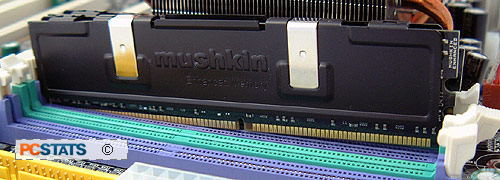
"When I was taking a PC class a couple of years ago,
the guy that sits next to me fried his RAM. I think it was seated wrong when he
booted the PC because it made a loud spark noise and smelled like burnt hair. It
not only destroyed the ram but also the slot. The slot actually had singe marks
in places. His computer continued to smell like burnt hair for the rest of the
year."
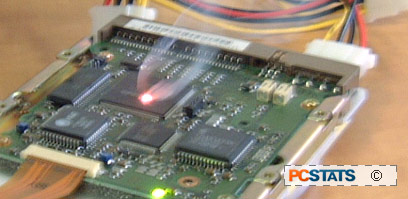 That'll do some damage! A third leading cause of system damage is that
annoying little floppy power cable, which is quite possible to plug in
incorrectly, leading to situations like this:
That'll do some damage! A third leading cause of system damage is that
annoying little floppy power cable, which is quite possible to plug in
incorrectly, leading to situations like this:
"I was showing my class what would happen or not
happen when wires are plugged in incorrectly. When I plugged in the power to the
floppy drive I unintentionally shifted the power plug to the left one pin,
causing a straight short from 12vDC to ground when the power was turned on.
Needless to say, when the smoke cleared and the laughter stopped, my class knew
what not to do on their PCs."
How Not to Kill Your Motherboard and Devices
This Way
If you are not confident in your computer assembly
skills, either have a pro do it or find a guide that will not steer you wrong.
We've yet to have any complaints about our guide
to assembling a PC,
so
we'll blow our own horn a bit here. Most importantly, once you've put
everything together but before you turn the power on, take a few minutes to go
over the computer and double check all your connections. It could save you
a few hundred bucks' worth of heartbreak.






 RSS Newsletter
