|
|
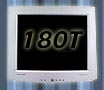
The titanium-silver and grey colours of the display not only make it jump out at you, but make old fashioned CRT displays look positively ancient.
87% Rating: 
|
|
|
|
Home >
Reviews >
Monitors >
Samsung 180T |
|
|
SyncMaster 180T Specs
| SyncMaster 180T Specs |
|
| Size (or Panel
Size) |
18.1 inches |
| Pixel Pitch |
0.28 mm |
| Brightness |
220cd/m2 |
| Contrast Ratio |
350:1 |
| Viewing
Angle |
80° / 80° / 80° / 80° |
| Horizontal Max (KHz) |
80 kHz |
| Vertical Max
(Hz) |
85 Hz |
| Bandwidth (MHz) |
135 MHz |
| Max.
Resolution |
1280 x 1024 |
| Colour |
16.7 M |
| Input Signal
Type |
Analog RGB (15 pin D-Sub), DVI
|
| Pivot
Enabled |
NO |
| OSD |
Multi-language supported |
| Multi-media |
External (user option) |
| Plug & Play
Standard |
DDC 1/2B |
| Power (Max) |
45W |
| Power Management |
Regulation |
ENERGY STAR / NUTEK |
| USB |
|
| Safety |
UL, CSA, CB, NEMKO, TUV |
| EMI |
FCC, CE, C-TICK, VCCI, BSMI |
| Low
Radiation |
TCO 99 |
| Dimensions
(WxHxD) |
449.5 x 459.8 x 277 mm |
| Weight |
8.4 KG
| |
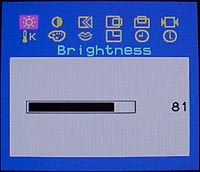
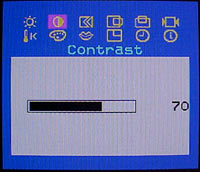
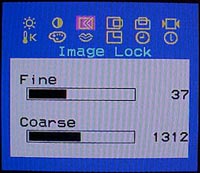
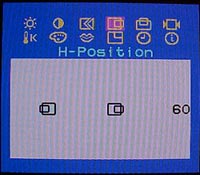
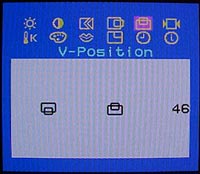
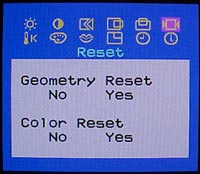
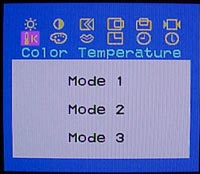
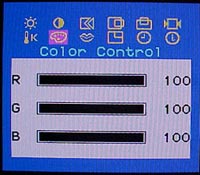
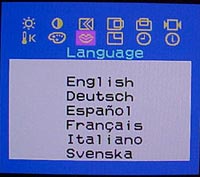
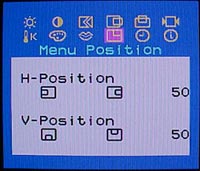
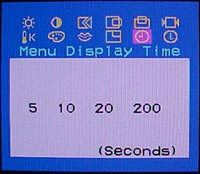
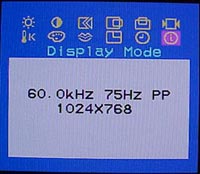
The on
screen display has the usual assortment of options necessary to properly configure and
adjust a LCD display. In reality it's generally much quicker to simply
hit the "auto adjust key" and let the display configure itself.
 |
 |
 |
 |
 |
 |
 |
 |
 |
 |
 |
 |
|
|
Features of the onscreen display include:
-
Options
- Contrast
- Brightness
- Automatic Adjust
- Exit
- On Screen Menu System
- Input select
- Menus
- Image
Lock
- H-Position
- V-Position
- Reset
- Colour Temperature
- Colour Control
- Menu Position
- Menu Display time
- Display Mode
- Language
|
|
|
|
|




 RSS Newsletter
